
An agentic development environment
Run every coding agent.
See everything they do.
Oya Factory runs Claude Code, Codex, Antigravity and OpenCode side by side — each task on its own branch — and puts every diff, command and check on screen the moment it happens.
Free and open source · MIT · No account, no license key, no step limits
Used by engineers at Amazon, Google, Salesforce and other companies
Works with the agents you already use
- Claude Code
- Codex
- Antigravity
- OpenCode
The terminal shows you text.
Oya Factory shows you the work.
-
01
Visible
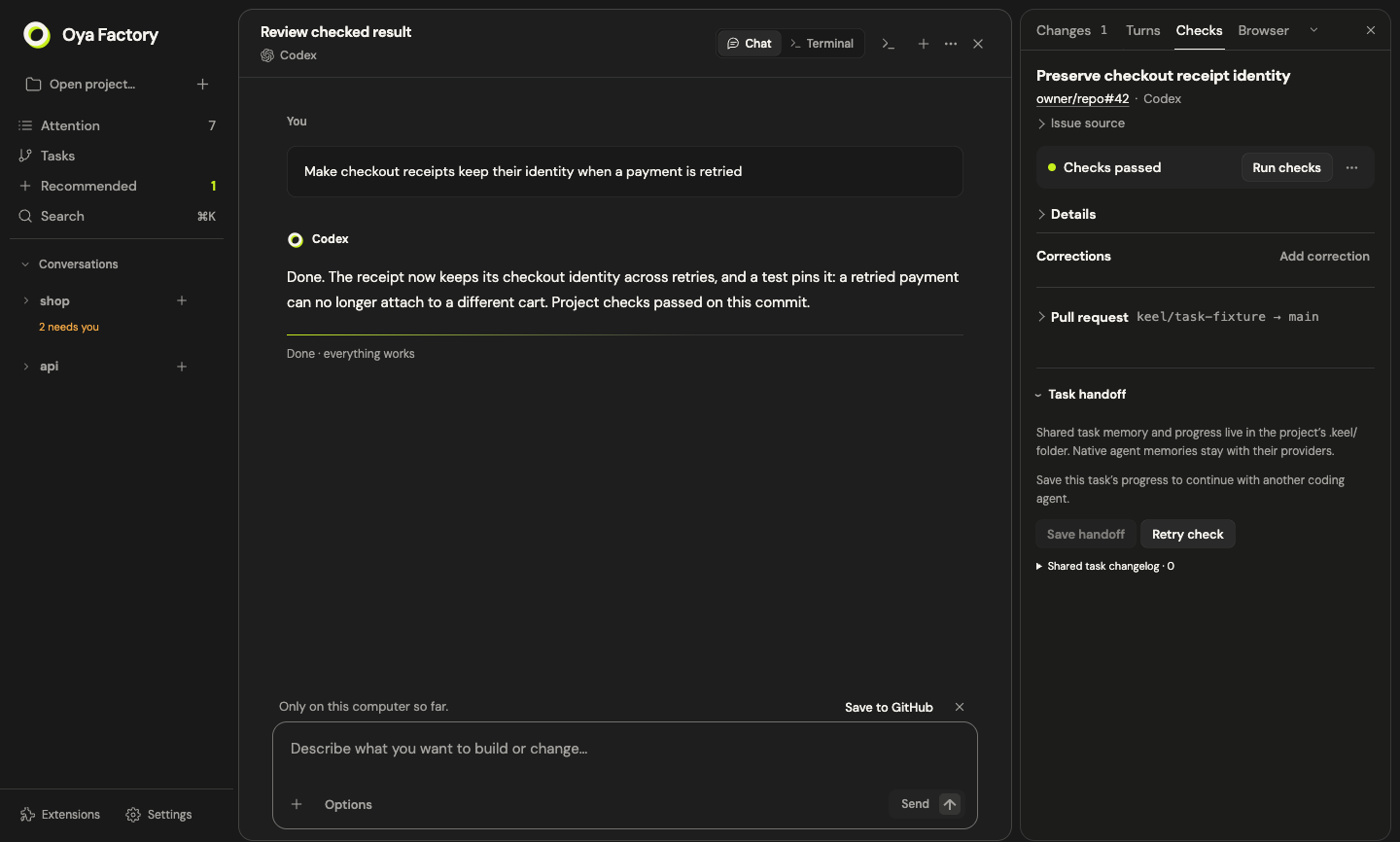
Each turn is one reviewable record: the files it changed, the commands it ran with their output, your project's checks, the time and the cost. A command that needs your yes arrives as a question in the conversation, not a refusal in a log.
-
02
Clean git
A lane is a branch is a worktree. Every turn is checkpointed and can be rewound; merging is a
--no-ffyou can read later. Nothing lands in your history that you couldn't reconstruct. -
03
Many agents, one machine
Run several lanes at once, Claude in one and Codex in the next. Each is legible on its own, and two agents are never allowed to write the same working tree.
Everything a day of agent work needs
Your checks, every turn
Your project's own
make check, tests or lint run after each turn, and the verdict sits beside the reply.Rewind any turn
A snapshot before every turn. Undo what an agent did without touching what you did.
Stage one hunk
Keep three of an agent's four edits. Hunks are matched by content, so nothing stages at the wrong place.
Issue to pull request
Start a task from a GitHub issue on its own branch, send corrections, and publish one traceable PR.
Recurring tasks
A saved instruction on a schedule — nightly dependency checks, weekly cleanups — each run on its own branch.
A browser for your agents
Each lane gets its own browser tab, so an agent can test the page it just built without touching yours.
Point at the pixel
Click an element in the live preview, say what should change, and see whether the right file changed.
Find in the terminal
⌘F through an agent's scrollback, and quick commands you save once and run from anywhere.
Set up right, automatically
An agent team, recommended skills and a readiness scan, kept current as Oya Factory improves.
Built to prove each turn
| Oya Factory | An agent in a terminal | |
|---|---|---|
| Each task on its own branch and worktree | Yes, automatically | By hand |
| Your project's checks after every turn | Yes, verdict beside the reply | If you remember to run them |
| Rewind a turn | Yes, a snapshot before each | git reflog, carefully |
| Permission prompts | Questions in the conversation | A prompt in whichever pane |
| Several agents at once | Yes, never two in one working tree | Several terminals, one checkout |
| Claude Code, Codex, Antigravity, OpenCode | All four, one workspace | One CLI per window |
Comparing tools? Oya Factory vs Orca · Oya Factory vs Conductor
Questions
What is Oya Factory?
Oya Factory is a free, open-source desktop app for running AI coding agents — Claude Code, Codex, Antigravity and OpenCode — on your own repositories. Each task runs in its own git branch and worktree, and every diff, command, approval and check result is shown as it happens.
Which coding agents does it support?
Claude Code, OpenAI Codex, Google Antigravity and OpenCode. Oya Factory drives the agent CLIs you already have installed and signed in, so it uses your existing subscriptions.
Is Oya Factory free?
Yes. It is MIT licensed, with no account, no license key and no limit on agent steps.
Which platforms does it run on?
macOS and Windows.
Does Oya Factory send my code anywhere?
Oya Factory runs on your machine and has no server of its own in between. Your agents talk to their own providers exactly as they do in a terminal.
How is it different from running an agent in a terminal?
A terminal shows text. Oya Factory gives every task its own branch, runs your project's checks after each turn, checkpoints every turn so it can be rewound, turns permission prompts into questions in the conversation, and lets several agents work at once without sharing a working tree.
Do I have to change my repository?
No. It works on any git repository. It can optionally add an agent team, recommended skills and a readiness scan, which it keeps current.
How does it compare to Orca or Conductor?
See the side-by-side pages for Orca and Conductor. In short: Oya Factory focuses on proving each turn — checks, rewind, clean branches — on macOS and Windows; Orca adds remote hosts and a phone app; Conductor is a polished Mac-only app.
Free. Open source. Yours.
Oya Factory is MIT licensed. Read the code, change it, ship it. What it writes into your projects is yours. It runs on your machine: your agents talk to their own providers, and Oya Factory puts no server of its own in between.